Support Center

Borealis – Cloud Solution
Our cloud-based solution simplifies security management tasks from any internet-enabled device, providing global accessibility, scalability, and convenience to enhance the overall experience.
Move your existing configuration today!

Borealis Conversion Upload
Upload your Doors.NET or Doors32 Database for Conversion to our Borealis cloud solution.

Knowledge Base
Need help with Keri products? Start Here!

Downloads

RMA Request

Doors.NET Database Conversion
Doors32 to Doors.NET Database Conversion

Doors.NET Cloud Backup
Registration form for Doors.NET Cloud-Backup
Borealis Credential Formats
Submit a request to add custom credential formats to your Borealis system

Training Video Library
Take a look at our training video playlists

Support Ticket
Open a support ticket, for assistance at your own pace.

Question or Query

Doors32 & PXL Upgrade
Support for Doors32 Ended in January 2020 – Please upgrade now.

Password Recovery
Password reset for Doors.NET & Borealis
Our Team is Always Here To Help
Call Technical Support
Let’s help, Speak to a support agent

Call Sales
Talk to a Sales representative
Can’t Find What You’re Looking For?
Contact Technical Support:
Phone:
1-800-260-5265 or 1-408-435-8400
Press 2 to enter the Technical Support queue.

Download: TeamViewer
TeamViewer is already installed alongside Doors.NET, You will only need to download if advised by your support agent.
Only Follow These Steps When Advised by a Technical Support Agent:
Step 1:
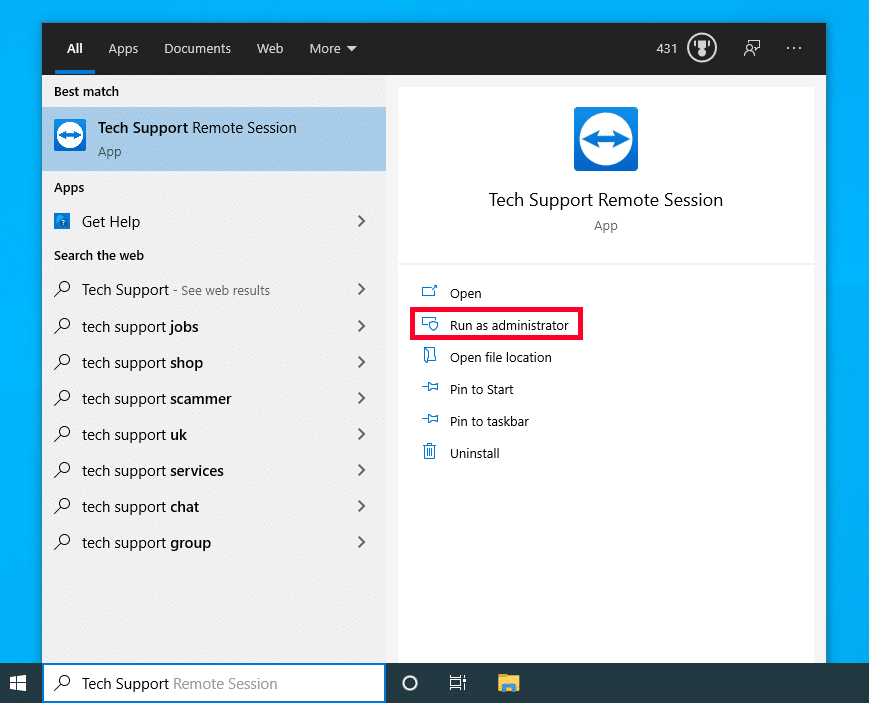
To Open a Tech Support Remote Session, Search For: Tech Support Remote Session, In your Windows search tool, And ‘Run As Administrator’
Step 2:
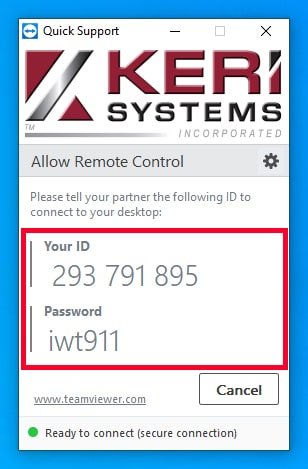
Tech Support Remote Session will open, and ask for you to allow changes to your device, you will need to click yes to proceed, followed by a second window with a useage disclaimer, you must click yes to proceed.